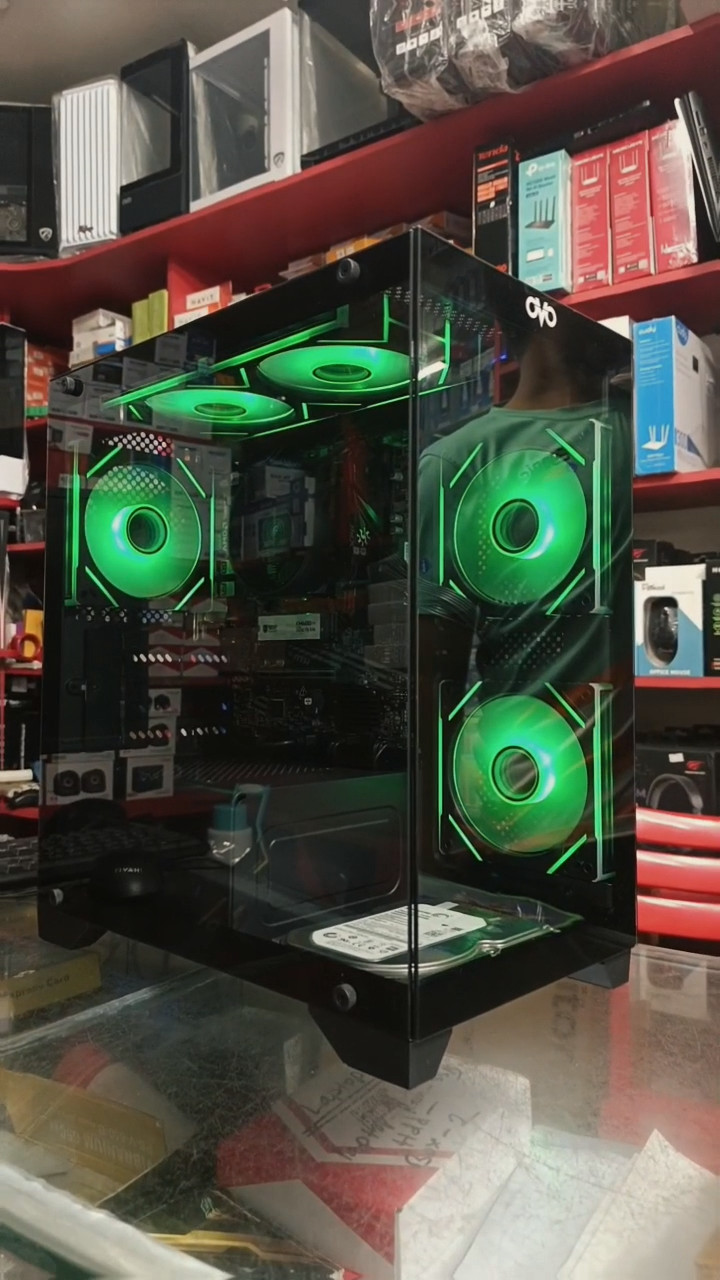
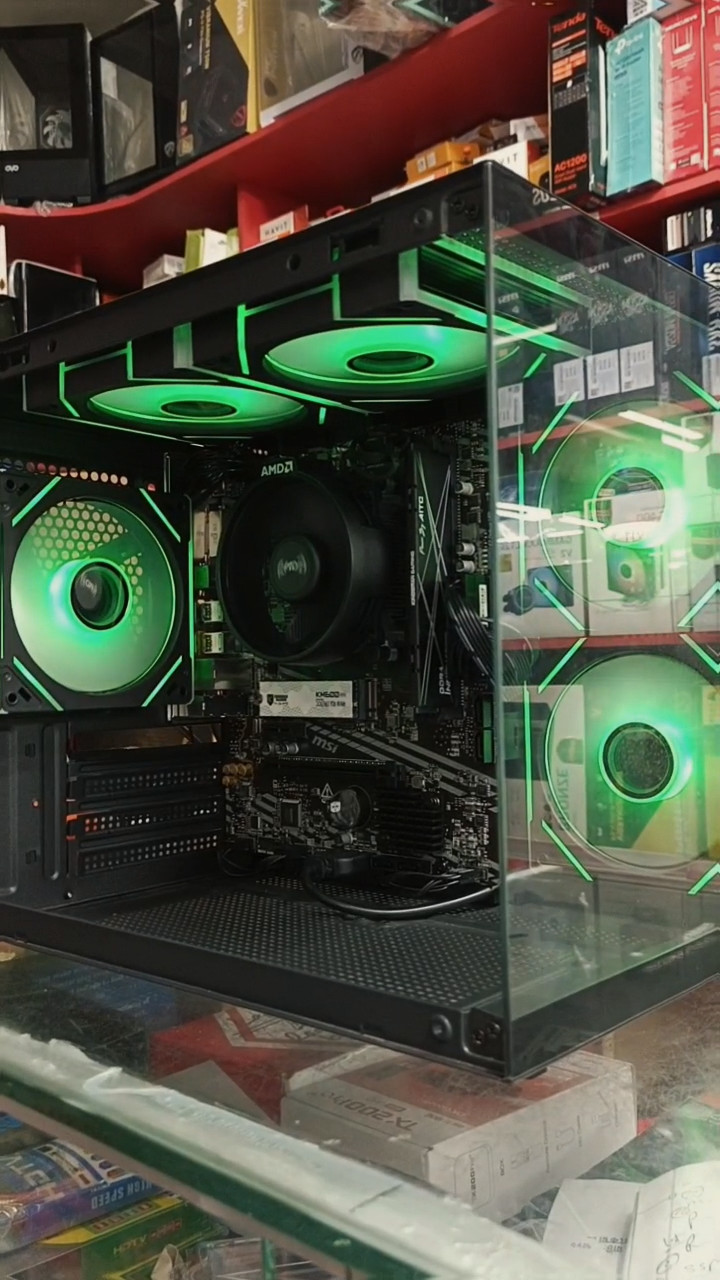
GeForce RTX PC for sale, shop display
Free
New
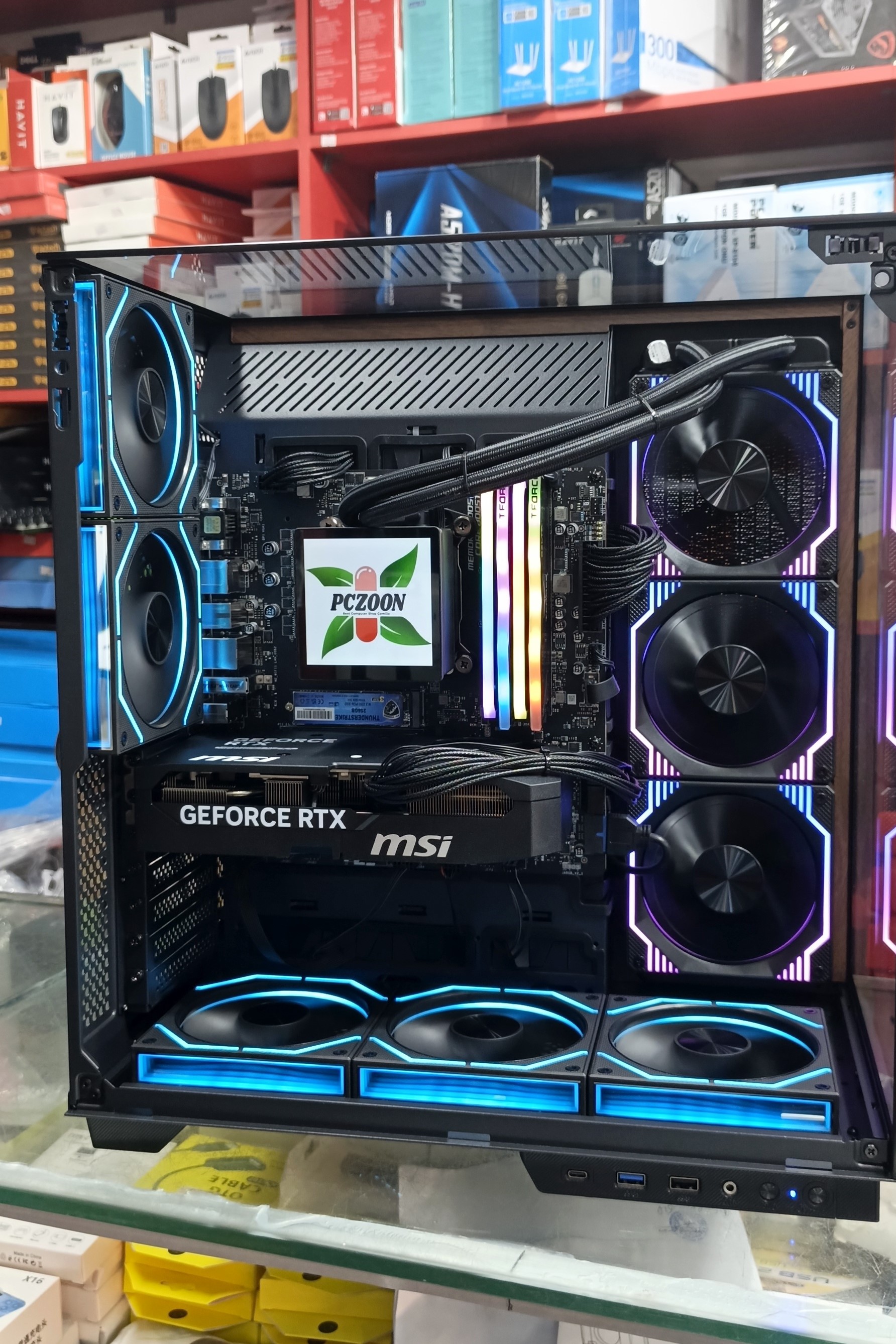
Your Dream PC, Built for You: Custom PC Build Services in Comilla by PCZOON Do you want a computer that does exactly what you need? A custom PC build might be right for you. This guide will help you learn about custom computers. PCZOON in Comilla can help you get the best computer. You can get a computer made just for you. This is true if you play games, work, or study. The PCZOON Custom PC Build Process PCZOON makes building your own computer easy. We have a clear process. This makes sure you get the right computer. Our team helps you every step of the way. Step 1: Consultation & Needs Assessment First, we talk with you. We want to know your budget. This helps us suggest the right parts. We also ask what you will use the computer for. Will it be for gaming? Editing videos? Or just for office work? Knowing this helps us know your main needs. Next, we discuss what you expect from your computer. For example, if you play games, what frame rates do you want? If you edit videos, how fast do you need things to render? This helps us choose parts that give you the performance you want. Step 2: Component Selection (Expert Guidance) Then, our experts help you pick the right parts. There are many choices. We will explain each one simply. We start with the CPU. This is the main brain of your computer. You can choose between Intel and AMD. We discuss how many cores you need and how fast it should be. Next is the GPU. This is the graphics card. It is very important for gaming or creative work. You can pick NVIDIA or AMD. We will help you choose the right amount of VRAM. We also help you pick the right performance level. The motherboard is also key. It connects all the parts. We make sure it has the right chipset and features. It also needs to be the right size for your case. RAM is your computer's short-term memory. It helps with multitasking. We help you choose the right capacity and speed. We also make sure it uses dual channel for better performance. For storage, you can choose SSD or HDD. SSDs are much faster. NVMe SSDs are even faster than regular SATA SSDs. We help you pick the right capacity. This depends on how many files and programs you have. The Power Supply Unit, or PSU, gives power to everything. It is very important. We make sure you get the right wattage. We also look at its efficiency and brand. A good PSU is key for a stable computer. This is especially true with load shedding in Comilla. Finally, we pick the casing. This is the computer's outer shell. We look at how well air flows through it. We also consider how it looks. The size is also important. Proper airflow helps keep your computer cool. We also talk about cooling. You can choose air cooling or AIO liquid cooling. We help you set up the fans for the best airflow. This is very important in Comilla's warm climate. Step 3: Professional Assembly & Cable Management Once all parts are chosen, our skilled technicians get to work. They put everything together carefully. They make sure every part is installed correctly. This helps your computer run its best. We also focus on good airflow inside the case. Then, we do cable management. This means we arrange the cables neatly. This makes your computer look clean inside. It also helps air move better. This keeps your computer cooler. Step 4: OS Installation & Driver Setup After assembly, we install the operating system. This is usually Windows. We can also install other operating systems if you want. This is a fresh installation. Next, we set up all the drivers. Drivers are small programs. They help your computer parts work correctly with the operating system. This makes sure all your hardware performs at its best. Step 5: Stress Testing & Quality Assurance We do not just give you the computer right away. We test it thoroughly. This is called stress testing. We want to make sure it is stable. We check its performance. We also look at how hot it gets. This is to make sure it runs well. We also do benchmarking. This checks if your computer meets the performance goals we talked about. We want to make sure you get what you paid for. Step 6: Handover & After-Sales Support When your computer is ready, we show it to you. We explain its features. We make sure you know how everything works. We also give you information about warranties. You can ask PCZOON for details about warranties. We also offer ongoing technical support. So, if you have questions later, we are here to help. Comparison Table: Pre-built vs. Custom-built PC Let's look at how pre-built computers compare to custom-built ones from PCZOON. This table helps you see the differences. FeaturePre-built PCCustom-built PC (PCZOON)PriceOften higher for same specsBetter value, optimized for budgetComponentsMay have lower quality PSU/MoboHand-picked, high-quality componentsPerformanceCan be bottleneckedOptimized for specific tasksUpgradeabilityLimitedExcellentWarrantyWhole system warrantyComponent-specific warranties + PCZOON servicePersonalizationLowHighAssembly QualityVaries by manufacturerProfessional, careful (PCZOON)Local SupportBrand-specificDirect from PCZOON Comilla Why PCZOON is Comilla's Best Choice for Custom PC Builds PCZOON is a trusted computer store in Comilla. We are in Kandirpar. We offer great service for custom PC builds. Here is why you should choose us. First, we have experienced technicians. Our staff is knowledgeable. They know a lot about computer parts. They can help you make the best choices. Next, we offer a wide range of genuine components. We only use parts from top brands. This means you get quality parts. They are also authentic. Also, we have transparent pricing. We give you detailed quotations. You will know exactly what you are paying for. There are no hidden costs. Then, we offer full warranty and after-sales service. You can ask PCZOON for details about warranties. We are here to help you after your purchase. This includes technical support. Our store is in Kandirpar. Finally, we are located conveniently. You can find us at F-508, 3rd Floor, Khondokar Haque Tower. This is in Kandirpar, Comilla. It is easy to visit our showroom. FAQs About Custom PC Builds in Comilla Here are some common questions about custom PC builds. Q: How long does a custom PC build take at PCZOON? A: The time it takes depends on many things. It depends on the parts you choose. It also depends on how busy we are. Usually, it takes a few days. We will give you an estimated time when you place your order. You can ask PCZOON for details. Q: Can I bring my own components for assembly? A: Yes, you can bring some of your own parts. Our technicians can assemble them for you. However, we suggest you talk to us first. We need to make sure all parts are compatible. We also need to check for any issues. This helps us make sure a smooth build. Q: What if I have a problem with my custom PC after purchase? A: PCZOON offers after-sales support. If you have any problems, just bring your computer back to our store. Our technicians will look at it. We will help you fix any issues. We stand by our work. You can ask PCZOON for details about our service terms. Related Reading Gaming PC in Comilla: PCZOON Custom Build Guide 2026 What is a PC Builder Tool? How PCZOON Helps You Build the Perfect PC Load Shedding Survival Guide: Best UPS for PC Users in Comilla Call to Action Start building your custom PC today! Visit PCZOON at F-508, 3rd Floor, Khondokar Haque Tower, Kandirpar, Comilla, or call us at 01610214887 and 01913634528. We are open Saturday to Thursday, 10 AM to 9 PM. Please note that all prices mentioned are approximate. For current prices and exact quotations, please contact PCZOON directly.
pczoon
pczoon