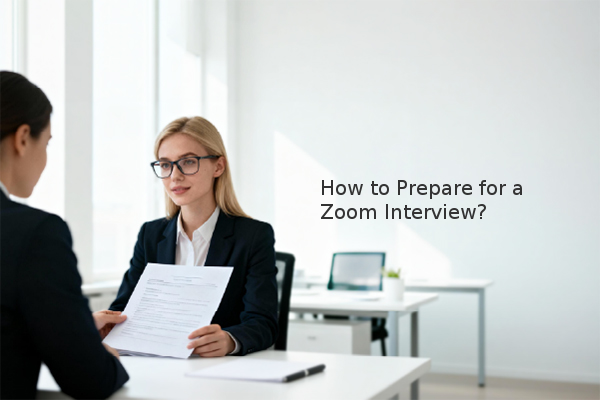
Securing a successful remote interview hinges on thorough preparation that addresses both technical setup and professional presentation. Unlike traditional in-person meetings, Zoom interviews require candidates to master a digital environment. Based on industry assessments, candidates who meticulously prepare for the virtual format significantly increase their chances of making a positive impression.
What is a Zoom Interview and Why Does Preparation Matter?
A Zoom interview is a type of structured interview conducted remotely using the Zoom video conferencing platform. It has become a standard part of the candidate screening process for many companies, especially for initial rounds. The shift to virtual interviews means that your ability to present yourself professionally on camera is now a critical skill. Proper preparation helps mitigate technical issues and allows you to focus on showcasing your qualifications, ultimately improving the candidate experience.
How Can You Set Up Your Technology for a Flawless Interview?
Technical glitches are a major source of anxiety in virtual interviews. A proactive approach minimizes these risks.
- Test Your Equipment Early: Conduct a practice call with a friend days before your interview. Check your internet connection, audio, and video. For optimal stability, consider connecting your computer directly to your router with an Ethernet cable.
- Update Your Software: Ensure you have the latest version of Zoom installed and that your computer's operating system is up to date to avoid unexpected updates or compatibility issues during the call.
- Charge Your Device and Have a Backup Plan: Fully charge your laptop and keep it plugged in. Have your phone charged and ready as a backup device in case of a primary system failure.
- Eliminate Digital Distractions: Close all unnecessary applications and browser tabs on your computer. Enable "Do Not Disturb" mode to silence notifications and ensure a professional, uninterrupted session.
What Does an Ideal Virtual Interview Environment Look Like?
Your background setting communicates professionalism before you even speak. The goal is to create a space that keeps the interviewer's attention on you.
- Choose a Quiet, Private Location: Select a room where you can shut the door and inform household members of your interview time to prevent interruptions.
- Opt for a Neutral, Tidy Background: Avoid virtual backgrounds, which can be distracting. Instead, position yourself in front of a plain wall or a neat, minimalist bookshelf. A cluttered background can detract from your message.
- Master Your Lighting: The key is to have the main source of light, such as a window or a lamp, facing you. Avoid sitting with a window behind you, as it will cast your face into shadow. Good lighting ensures the interviewer can see your expressions clearly.
How Should You Present Yourself During the Zoom Call?
Your on-camera demeanor is as important as your verbal answers. Non-verbal cues are amplified in a video call.
- Dress Professionally: Wear complete business attire from head to toe, as you would for an in-person interview. This puts you in a professional mindset and prepares you for any unexpected need to stand up.
- Maintain Eye Contact by Looking at the Camera: Looking at the interviewer's image on the screen creates the illusion that you are looking down. Instead, make a conscious effort to look directly into your computer's camera lens when speaking to simulate direct eye contact.
- Use Engaged Body Language: Sit up straight with your shoulders back. Smile and nod to show you are actively listening. Be mindful of your hand gestures, keeping them natural and within the camera frame.
- Manage Audio Effectively: Use a good quality headset with a microphone for clear audio. Remember to unmute yourself when you speak. If the interviewer is speaking at length, you can briefly mute your microphone to eliminate any background noise from your end.
What Are the Key Steps to Take After the Interview?
The interview's conclusion is just as critical. A strong follow-up reinforces your interest and professionalism.
- Send a Thank-You Email: Within 24 hours, send a personalized email to each interviewer. Thank them for their time, reiterate your specific interest in the role, and briefly mention a key point from your conversation.
- Complete Any Follow-Up Tasks: If the interviewer asked you to submit additional materials or complete an assignment, do so promptly and to the best of your ability.
By focusing on these key areas—technical readiness, environmental control, professional presentation, and thoughtful follow-up—you can turn the unique challenges of a Zoom interview into a distinct advantage. The most critical takeaways are to test your technology in advance, create a professional, distraction-free setting, and practice your on-camera communication skills to build confidence.


 Share