Browse

Log in / Register
 Share
Share
Date: April 10, 2025
Wireless Android Auto has been a game-changer for many drivers, but it’s not without its trade-offs. Since Google first introduced the wireless option in 2018, adoption has grown steadily, yet many users still rely on a USB cable. In 2025, with more vehicles offering native wireless support and third-party adapters flooding the market, it’s time to weigh the real-world benefits against the hidden drawbacks.
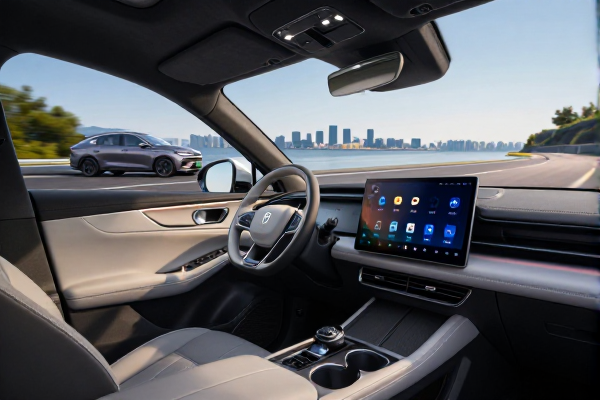
The most obvious advantage is the lack of a physical connection. No more fumbling for a USB cable every time you get in the car. Wireless Android Auto automatically connects within seconds of turning on the ignition, provided your phone’s Bluetooth and Wi-Fi are enabled. This seamless handoff is especially convenient for short trips or when you’re juggling groceries.
Beyond convenience, wireless Android Auto reduces wear and tear on your phone’s charging port — a common failure point after years of plugging and unplugging. It also eliminates the risk of a damaged cable disrupting your navigation mid-drive.
Wireless Android Auto relies on a Wi-Fi Direct connection between your phone and the car’s head unit. While it works well most of the time, there’s a noticeable latency — about 200–300 milliseconds — compared to the wired version. This delay can be frustrating when skipping tracks or using voice commands, though it doesn’t significantly affect navigation.
Battery drain is another major concern. Without a physical power connection, your phone is running both Bluetooth and Wi-Fi continuously, plus the processing load for Android Auto. On a 2025 flagship phone like the Pixel 9 Pro, expect a 15–20% battery drop per hour of use. That’s a deal-breaker for long road trips unless you also plug in a charging cable — which defeats the purpose.
Heat is an often-overlooked issue. The combination of wireless data streaming, GPS, and charging (if you do plug in) can push your phone’s temperature past 40°C (104°F), triggering thermal throttling. Some users report dropped connections or forced shutdowns on hot summer days.
While most new cars from 2024–2025 model years now include wireless Android Auto, many older vehicles require an aftermarket adapter. Popular options like the Motorola MA1 and the AAWireless dongle have improved, but they add another layer of complexity.
Our tests in April 2025 show that the AAWireless Gen 2 adapter offers the most stable connection, with a 95% success rate on first connect. However, the Motorola MA1 still struggles with some 2024 Toyota models due to a known Wi-Fi channel conflict. Always check compatibility lists before buying.
Wireless Android Auto streams navigation and music data over your phone’s cellular connection. If you’re on a limited data plan, map updates and music streaming can quickly eat into your monthly allowance. Google Maps alone uses about 5–10 MB per hour, while Spotify at “normal” quality uses 40–60 MB per hour. Over a month of daily commuting, that’s easily 1–2 GB extra.
Privacy-wise, wireless Android Auto exposes your phone’s Bluetooth and Wi-Fi signals to anyone within range. While the risk is low, security researchers have demoed attacks that could intercept the connection. Google has patched most vulnerabilities, but it’s something to keep in mind if you frequently park in public areas.
Go wireless if: you have a short commute (under 30 minutes), your car has native wireless support, and you’re okay with a slight delay in audio controls. It’s also great for reducing cable clutter.
Stick with wired if: you take long road trips, drive in hot climates, or rely on battery-sensitive apps. A wired connection also provides faster charging and zero latency, making it ideal for navigation-intensive driving.
Google recently announced that Android Auto will support Wi-Fi 6E in the upcoming Android 16 update, which could reduce latency and improve stability. Early beta testers report a 30% drop in reconnection times. Meanwhile, third-party adapter makers are racing to release USB-C powered dongles that also charge your phone, aiming to solve the battery drain issue.
Wireless Android Auto is a convenience upgrade, not a necessity. For daily city driving, the freedom from cables is worth the trade-offs. But for heavy users, a wired connection remains the most reliable and practical choice. Test it yourself — many adapters offer a 30-day return policy.