Browse

Log in / Register
 Share
Share
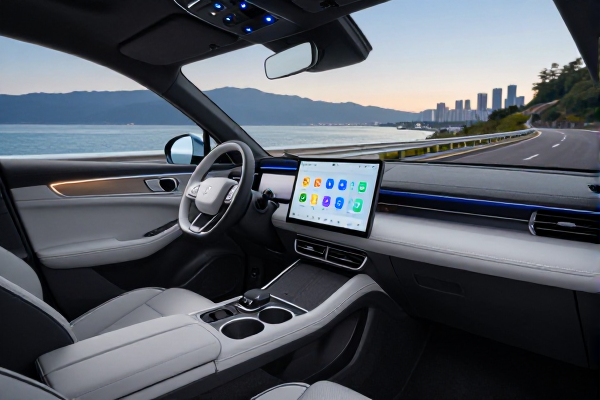
For millions of drivers, Android Auto is the bridge between their smartphone and their car’s dashboard, streamlining navigation and entertainment. Yet, beneath its polished surface lies a suite of powerful, unadvertised controls that can significantly enhance its functionality. This is the developer menu—a hidden panel that unlocks advanced features Google doesn't promote, from fixing finicky wireless connections to enabling video apps on your infotainment screen. Accessed in under a minute, this menu offers a new level of customization for the savvy user. As of October 26, 2023, understanding these tools is becoming more relevant with new updates on the horizon.
Gaining Access to the Hidden Controls
Accessing this secret settings panel is a straightforward process, though the exact path can vary slightly depending on your phone's manufacturer and Android version. Generally, you'll need to navigate to your phone's main Settings app. From there, search for "Android Auto" or find it under the "Connected devices" or "Apps" sections. Once inside the Android Auto settings page, scroll to the very bottom to find an entry labeled "Version" or "About Android Auto." The key is to rapidly tap on this text about ten times. A prompt will appear, asking if you want to enable developer settings; confirm it. Then, return to the top of the Android Auto menu, tap the three-dot overflow menu in the corner, and now "Developer settings" will be visible.
Essential Tweaks: Wireless Stability and App Freedom
Once inside, you're presented with a list of toggles and options. Two settings stand out as immediately useful for most drivers. First is the "Wireless Android Auto" toggle. While often enabled by default, this is the first place to check if your phone refuses to connect to your car or a wireless adapter without a cable. Simply toggling it off and back on can resolve persistent connection headaches. The second, and perhaps most sought-after, is "Unknown sources." Enabling this function mirrors a familiar Android phone setting, allowing applications not vetted by the Google Play Store to run on your car's display. This opens the door to third-party apps like CarStream or Fermata Auto, which can stream YouTube, web browsers, or other video content to your dashboard—a popular desire for passengers or during long waits.
Optimizing Visual Clarity and Performance
Another valuable setting addresses visual quality. The "Video resolution" option allows you to manually force a higher output resolution than what your phone and car may automatically negotiate. Sometimes, the auto-negotiation chooses a conservative, lower resolution to ensure stability, resulting in a blurry or pixelated interface even on high-resolution screens. Forcing a 1080p or higher resolution can sharpen map details, icons, and text, providing a crisper viewing experience. However, it's wise to test different settings, as pushing the resolution too high on an older car system might lead to lag or disconnections.
A Critical Note on Android Auto 12 and Responsible Use
It's crucial to approach some of these settings with caution. Options labeled for saving video, audio, or microphone input are primarily diagnostic tools for developers. Enabling them during normal use will place a heavy, unnecessary load on your phone's processor, leading to rapid battery drain, significant heat generation, and the consumption of large amounts of storage space. They are not meant for continuous recording. Furthermore, with the rollout of Android Auto 12's new "Coolwalk" interface, Google has been refining the platform's stability and design. While the core developer menu access method remains, its options and their effects can evolve with these updates, so the utility of certain toggles may change over time.
Why Google's Hidden Menu Matters for Users
The existence of this developer menu highlights a fascinating tension in the in-car tech space. Google rightly prioritizes safety and stability by restricting unvetted apps that could distract drivers. However, there is clear user demand for functionalities that official channels haven't provided, such as sanctioned video playback for passengers. Third-party developers have stepped in to fill these gaps, and the "Unknown sources" setting is the unofficial key that makes it possible. For the informed user, this menu doesn't reinvent Android Auto, but it does offer meaningful control—fixing connection issues, improving display quality, and cautiously expanding app access. A few taps reveal a more powerful and personalized system, granting you insights and capabilities beyond the standard user experience.